Hand your dock staff one screen and let them run the morning.

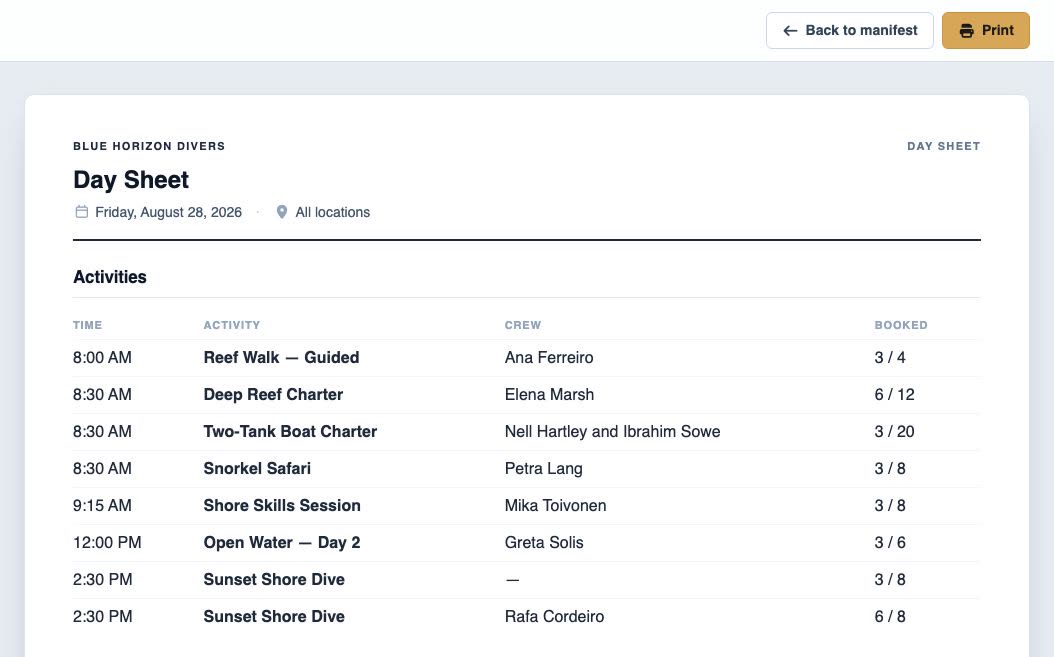
Pick a date and every activity, arrival, crew assignment, rental and pickup re-keys to it — one view the front desk and the dock can both work from.
- Run sheet, guest board, on-duty crew and gear split, side by side
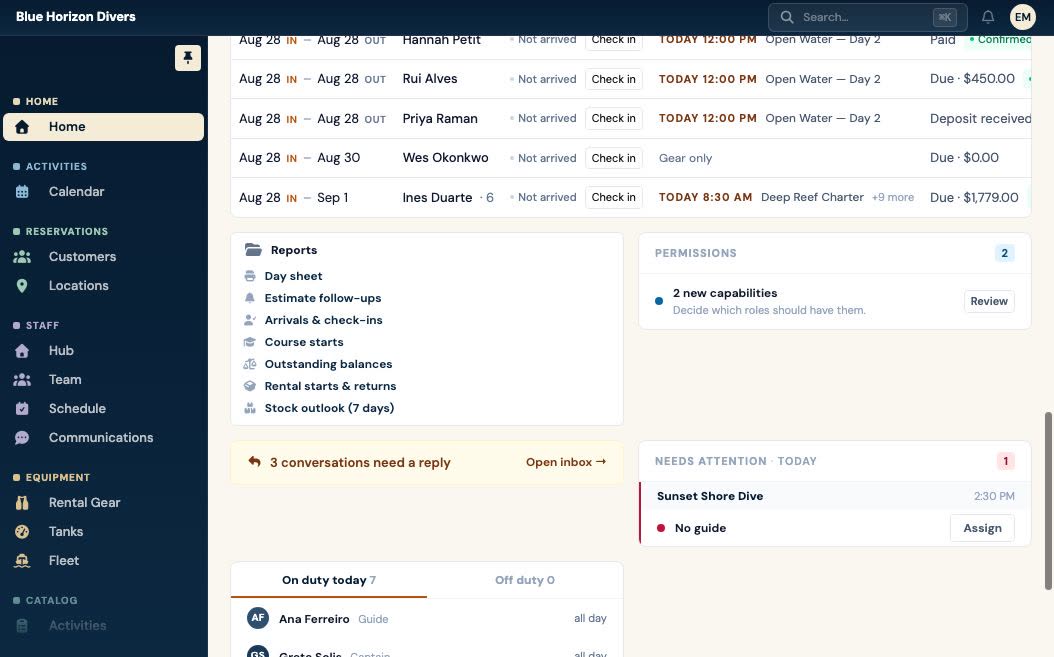
- Check divers in as they arrive, and record what gear went out with them
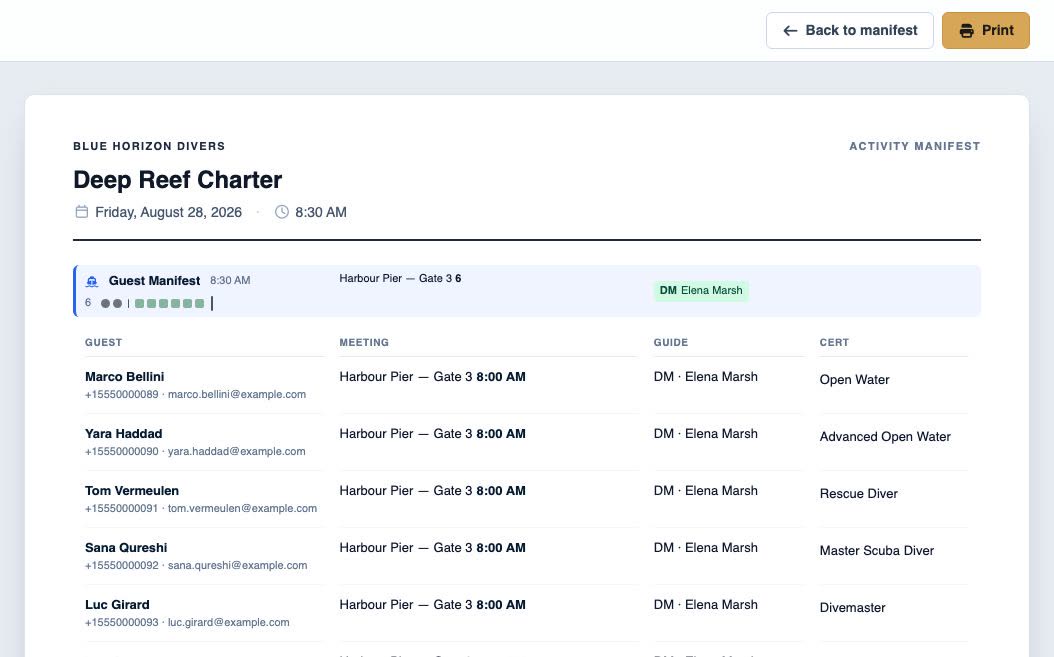
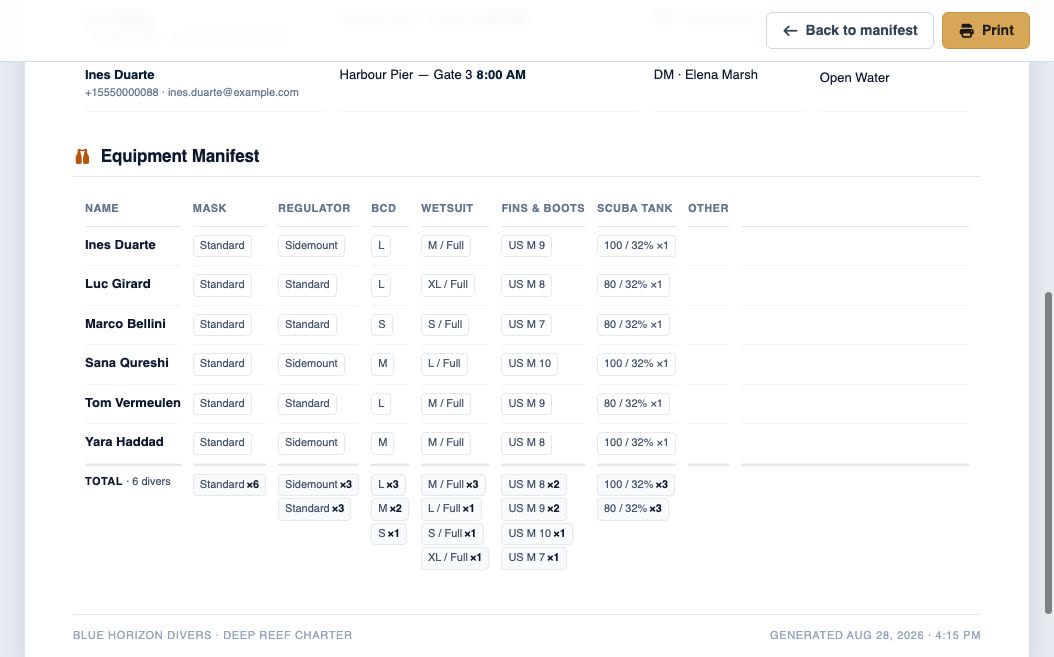
- Day sheets, rental pull lists and pickup runs, printable
What's included
Everything running the day covers
Daily Operations
- Daily Manifest: Date-based operations view with all events, staff, assets, and lodging for the day.
- Fleet Management: Assign assets, trucks and vans to activities with capacity tracking and availability.
- Staff Assignment: Assign team members to events with real-time availability checking.
- Arrivals & Check-in: Record who has physically arrived, what gear went out with them and what came back — the front desk's paper form, on screen.
- Operational Reports: Day sheets, arrivals, rental pull lists, course starts, staff hours and outstanding balances, each filterable by date and location.
Logistics
- Guest Pickup Locations: Manage customer pickup points and assign them to participants per activity.
- Lodging Management: Track and assign participant accommodations with linked pickup locations.
Run your shop on it
Your Business
.fathombay.com
Your URL:
Enter your dive shop name first — it becomes your booking address.
Or sign up with email